
Technical SEO is the foundation everything else stands on. If Google cannot crawl, index or load your pages properly, great content and links will not help them rank.
This technical SEO audit checklist covers what to check on a small business website, how to check it with free tools, and real examples from our own audit of techpater.com.

Free tools you need
- Google Search Console: indexing, sitemaps, Core Web Vitals and URL inspection.
- Google PageSpeed Insights: speed and Core Web Vitals for individual pages.
- Google’s Rich Results Test: structured data.
- A site: search in Google, such as
site:yourdomain.com.au, for a quick look at what is indexed.
1. Indexing
- Important pages appear in the Search Console Pages report as indexed.
- Reasons for non-indexed pages are understood (“Crawled – currently not indexed”, “Duplicate”, “Redirect” and so on).
- No important page has a noindex tag by mistake.
- Thin or junk pages (thank-you pages, empty archives, test pages) are noindexed.
Real example: when we audited techpater.com, Google showed only a handful of our pages, and key pages like our Local SEO and Web Design pages were not indexed. Meanwhile, thin pages such as booking confirmation and empty shop pages were indexable. We noindexed the thin pages and requested indexing for the important ones.
2. XML sitemap
- A sitemap exists and is submitted in Search Console.
- It contains only pages you want indexed.
- It does not include redirected, 404 or noindexed URLs.
Our sitemap contained 53 URLs, including template pages, old service pages and leftover shop pages. After cleaning it up, it listed 41 genuine pages.
3. Robots.txt
- Robots.txt does not block important pages, CSS or JavaScript.
- It references your sitemap.
4. Redirects and broken links
- HTTP redirects to HTTPS, and one version (www or non-www) redirects to the other.
- Old URLs redirect (301) to the most relevant new page.
- No redirect chains or loops.
- No broken internal links or important 404 pages.
5. Speed and Core Web Vitals
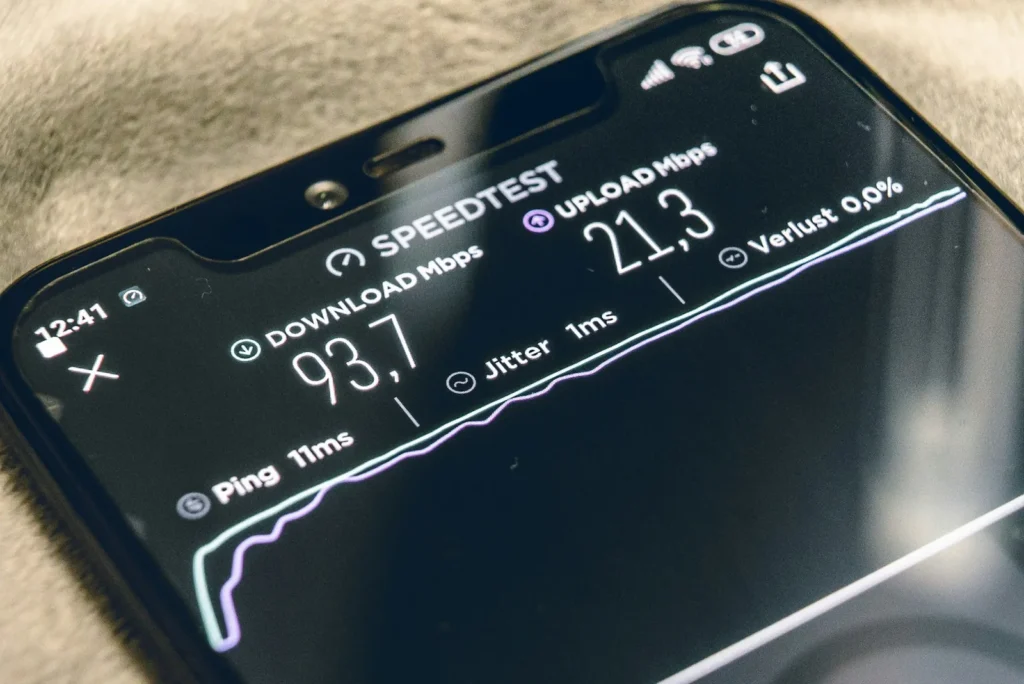
- Core Web Vitals pass, or are improving, in Search Console.
- Images are compressed and sized correctly.
- Caching is enabled, including for mobile visitors.
- Render-blocking scripts are deferred where possible.
One surprise in our audit: mobile caching was switched off, so phones were getting unoptimised pages. Turning it on fixed that. See how to speed up WordPress for our full setup.
6. Mobile-friendliness
- Pages display well on phones with no sideways scrolling.
- Text is readable without zooming.
- Buttons and links are easy to tap.
- Menus work on the first tap.
7. HTTPS and security
- The SSL certificate is valid and auto-renews.
- There are no mixed content warnings (HTTP images or scripts on HTTPS pages).
8. Duplicate content and canonicals
- Each page has a canonical tag pointing to itself (or the preferred version).
- Near-identical pages are merged or differentiated.
- Parameter or filter URLs do not create many indexable duplicates.
9. Headings and on-page structure
- Every page has exactly one H1.
- Headings follow a logical order (H2, then H3).
- Title tags and meta descriptions are unique.
Learn the difference between technical and on-page work in on-page vs off-page SEO.
10. Structured data
- LocalBusiness or Organization schema on the home or contact page.
- FAQ, Product, Article or Review schema where relevant.
- No errors in the Rich Results Test.
After the audit
Fix indexing problems first, then speed and mobile issues, then the rest. Re-check Search Console a few weeks later to confirm the fixes worked. For the wider SEO picture, see our SEO checklist for small businesses, and for realistic expectations, how long SEO takes.
Want a technical SEO audit done for you?
TechPater audits small business websites for indexing, speed, mobile and structured data issues, explains what we find in plain English and fixes it.
Frequently asked questions
What is a technical SEO audit?
A check of the behind-the-scenes factors that affect how search engines crawl, index and display your website, such as indexing, sitemaps, redirects, speed, mobile-friendliness and structured data.
How often should I do a technical SEO audit?
Every few months for a small business site, and after any redesign, migration or major plugin change.
Can I do a technical SEO audit for free?
Yes. Google Search Console, PageSpeed Insights and the Rich Results Test cover most of the checks on this list.
What is the most common technical SEO problem?
Indexing issues: important pages not indexed, or thin and junk pages indexed instead. Check the Pages report in Search Console first.
Does technical SEO affect rankings?
Yes. Pages that cannot be crawled or indexed cannot rank, and slow or broken pages give users a poor experience.